01 / Product
Your next idea starts hereMeet MiniMax H3 Image
H3 Image
Generator
From a passing thought
to a picture worth keeping.
Use the H3 Image Generator to create with MiniMax. Write a prompt, bring a reference, and see where your imagination takes you.
Find a little inspiration Edit Images with H3 ImageThe H3 Image Generator runs through fal. No local model installation.A prompt is just the beginning.
A spark for your next idea
Less blank canvas. More possibility.
Real H3 Image examples, with the prompts that started them. Borrow an idea. Make it yours.
02 / Portrait
A little more character
03 / Architecture
Somewhere only you imagined
04 / Design
Make room for something new
Original site examples · MiniMax H3 Image · November 11, 2026 · Prompts and generation records retained.
A little more creative controlH3 Image Generator.
H3 Image Generator.
Make it yours.
One model for the first idea and the next revision. Clear instructions matter more than a wall of settings.
Start with a clear picture.
Describe the subject, composition, light and material. For a poster, quote the exact words and say where they belong. Prompt expansion can develop a short brief into a detailed description.
Give every reference a role.
Use Image 1 for your object, Image 2 for a color palette and Image 3 for the layout. A specific role reduces accidental blending. The H3 Image editor accepts up to 16 references.
Explore first. Finish larger.
Try a smaller canvas while refining a prompt, then choose a larger preset for the image you want to keep. Resolution changes detail and cost; it does not guarantee better composition.
The next version is one sentence awayA small change.
Edit Images with H3 Image A small change.
A different feeling.
One image. One clear instruction.A different color.
A different color.
The same point of view.
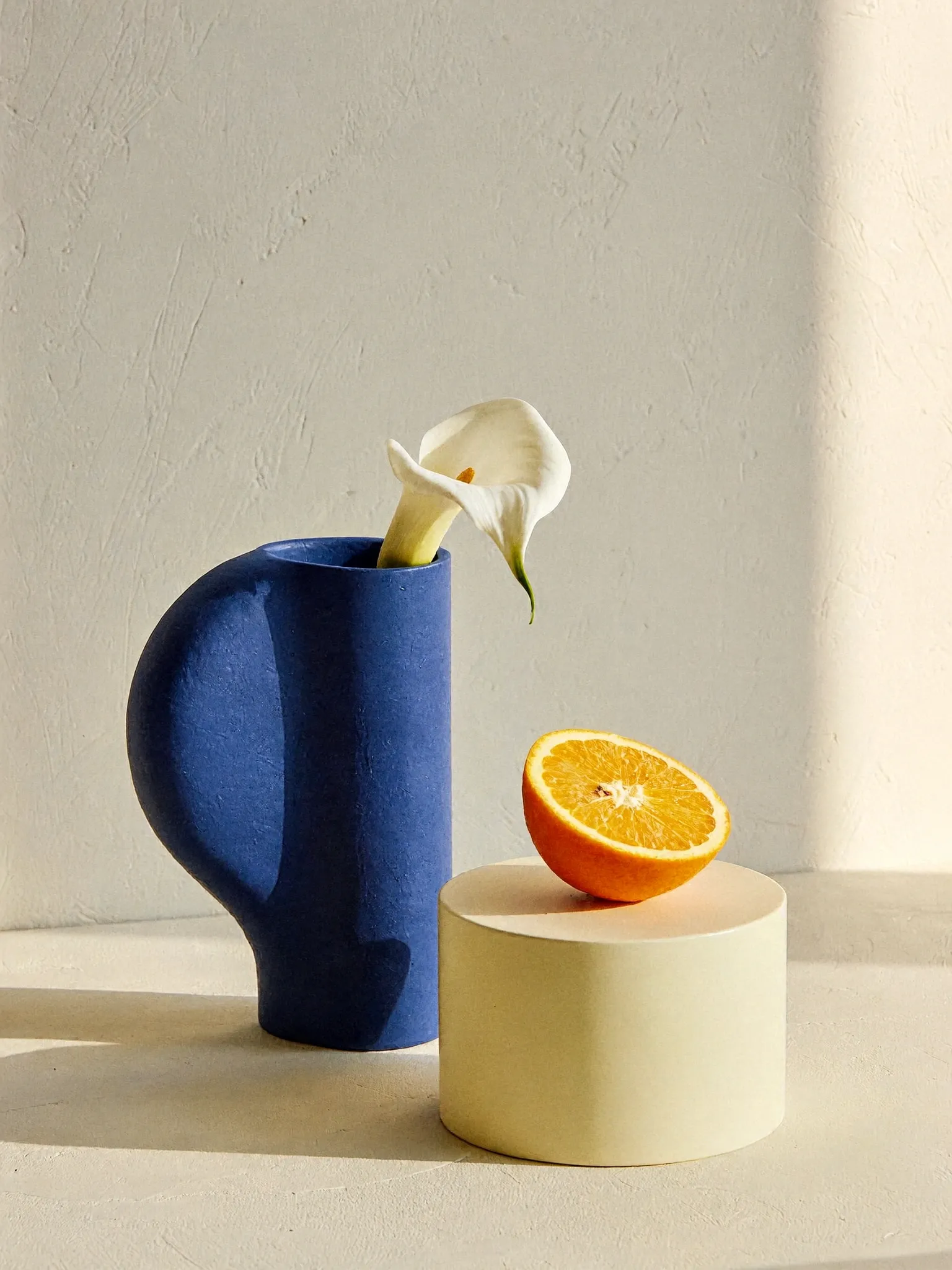
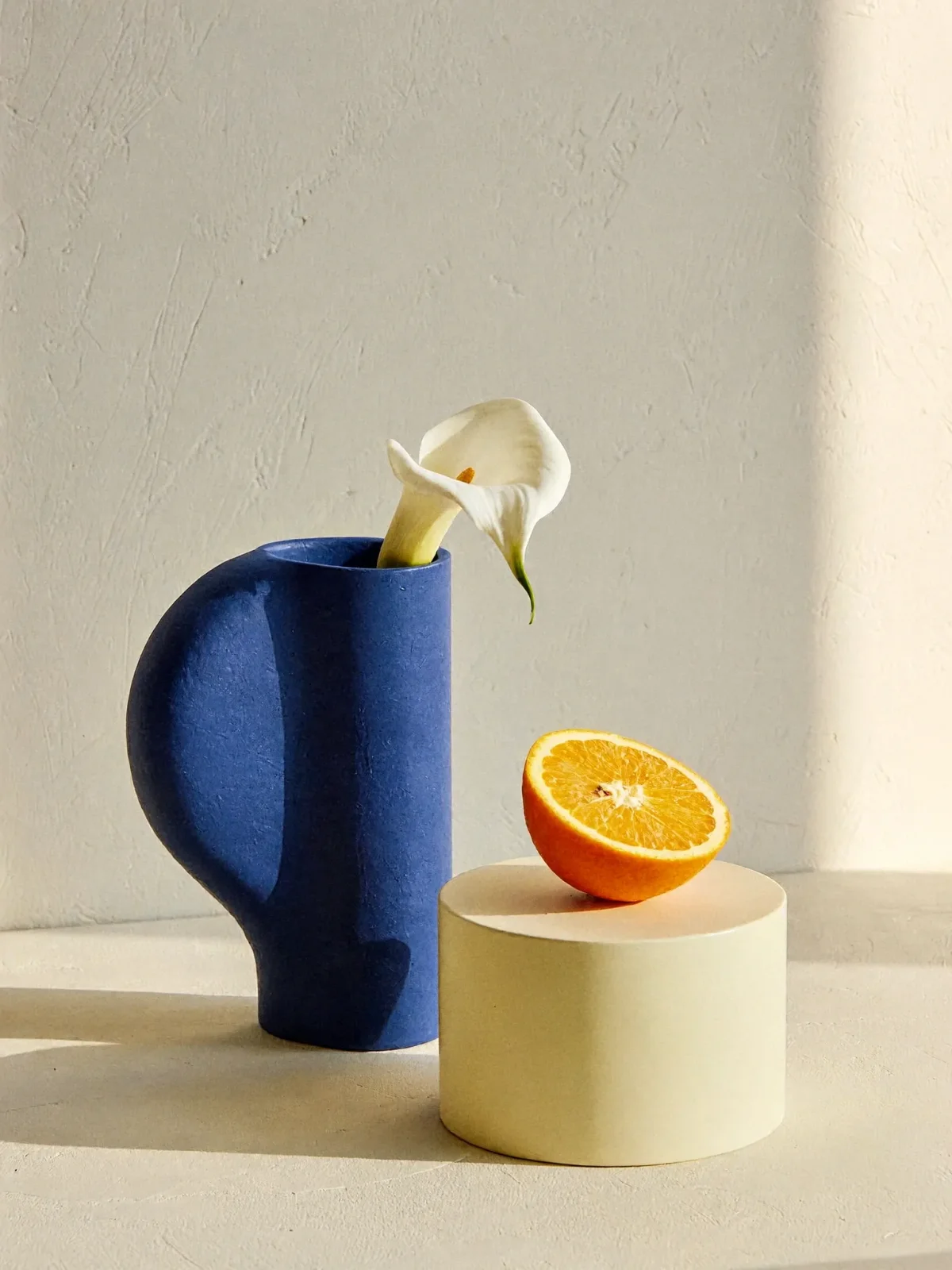
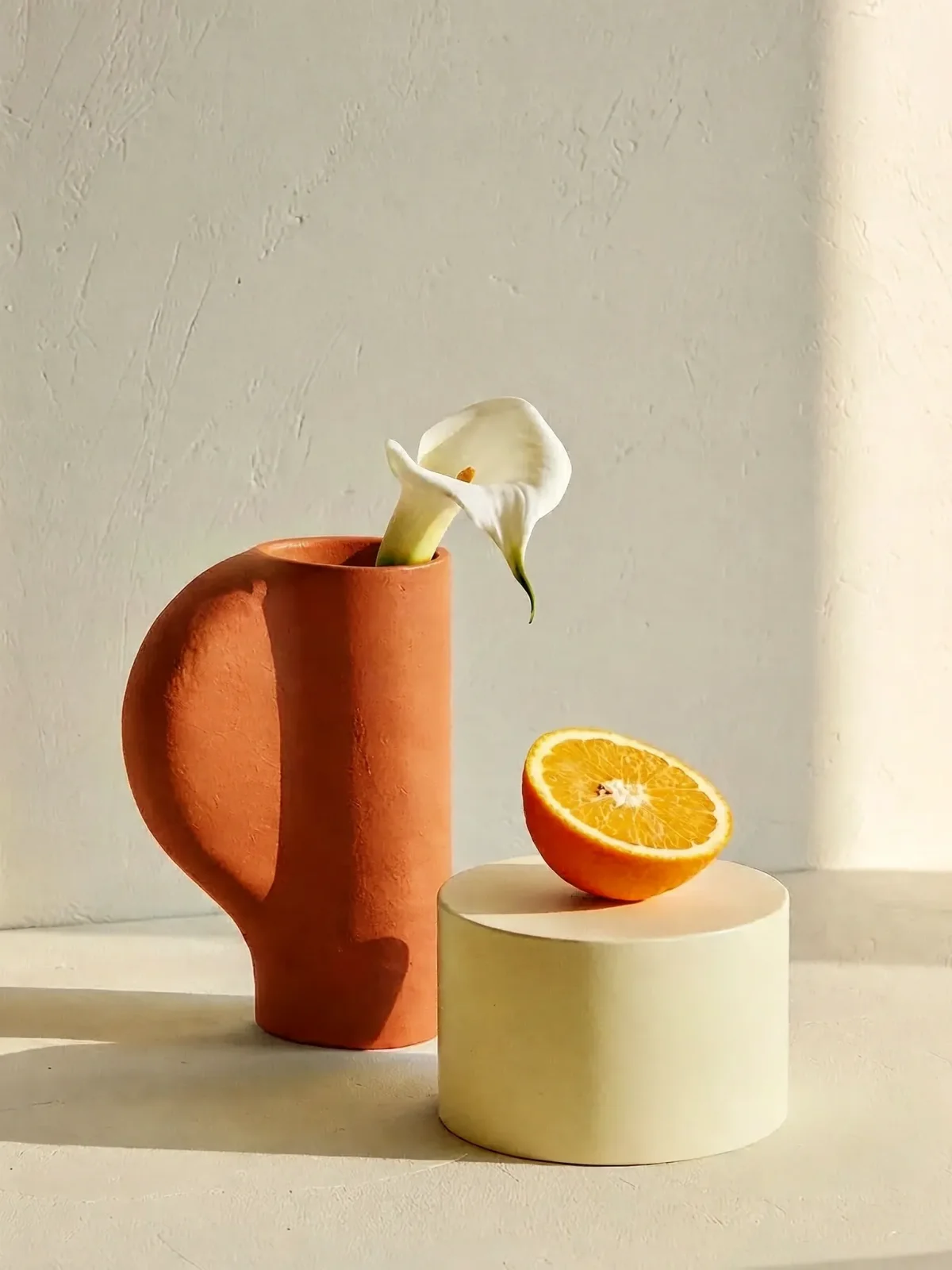
Ask for one specific change, then name the details that should stay. Here, the vase changes from cobalt to terracotta while the flower, orange, lighting and composition remain the reference.
Change only the cobalt blue ceramic vase in Image 1 to warm terracotta orange. Preserve its silhouette, matte material, the white calla lily, the halved orange, the pedestal, lighting, shadows, camera angle and background. Do not add objects or text.Original input and edit made for this site with MiniMax H3 Image. Compare the actual result; object preservation is not guaranteed.
Original edit example · MiniMax H3 Image · 1536 × 2048 · Recorded
View the test detailsKnow what’s making your images
MiniMax H3 Image: 16MP in About 6 Steps
P-H3-Image is Pruna's smaller, faster build — 8MP, 8 steps, 7x smaller, 5x faster.
These are Pruna’s reported comparisons with the original MiniMax H3: a 20GB core-weight set versus 143GB, and 2.6s versus 12.4s for a 4MP image on one B200. They are not measurements against MiniMax H3 Image or this website. The prompt upsampler is an additional component.
If you searched for P-H3 Image or ph3 image, this distinction will save you a confusing download.
Read the MiniMax model cardMiniMax H3 Image
MiniMax’s generation-and-editing model targets about 16MP in about 6 steps. This workspace provides 2K and 4K presets and up to 16 editing references; 4096 × 4096 is approximately 16.8MP.
Try the H3 Image editorP-H3 Image
Pruna’s image model built from MiniMax H3. Its own downloads, eight-step workflows and hardware guidance must be checked separately. It is not an alias for the model above.
See Pruna’s model cardGo a little deeperBetter inputs.
Better inputs.
More interesting outcomes.
Choose the guide that matches what you want to do next.
Model information checked
01
Edit an image with intention
Learn a keep/change prompt structure, compare an actual color edit, and avoid conflicting reference instructions.
02Run H3 Image in ComfyUI
Match model files to the right workflow, understand memory requirements, and troubleshoot common node errors.
03Compare MiniMax H3 and Qwen
Separate verified specifications from test claims, and use a controlled image-editing comparison protocol.
A few good questions
Everything else you’re wondering.
Straight answers before you create.
What is the H3 Image Generator?
The H3 Image Generator is a browser-based creative workspace for MiniMax H3 Image. Write a prompt for a new picture or provide reference images for an edit. The model runs on an external inference service; you do not need a local graphics card.
Is H3 Image the same as P-H3 Image?
No. MiniMax H3 Image is MiniMax’s own model. P-H3 Image, also searched as ph3 image, is a separate Pruna model derived from MiniMax H3. They have different weights, workflows and limits. This generator is designed for MiniMax H3 Image.
How many reference images can H3 Image take?
The MiniMax H3 Image editing endpoint on fal accepts 1–16 reference images. Refer to them as Image 1, Image 2 and so on in upload order. Assign each a clear role, such as product, background, palette or composition.
How big are the images?
The fal endpoint supports up to 20 million output pixels, with aspect ratios from 1:3 to 3:1. This workspace offers simpler 2K and 4K presets. A 4096 × 4096 image contains about 16.8 million pixels; 4K is not the same pixel count at every aspect ratio.
Can you use LoRAs with H3 Image?
This fal generator does not expose a LoRA input. Local ComfyUI support depends on the exact model variant and node implementation. A LoRA made for a different H3 model is not automatically compatible. Check the model and node documentation before downloading.
Is it free?
You can browse prompts and load saved examples without paying. Live generation and checkout are not enabled in this local preview. Any future free allowance and generation cost will be shown before you submit; this page does not promise unlimited free inference.